Skip to content
Minnesota Department of Human Rights home
  • Quick Links
    Quick Links
    • Apply for a Workforce Certificate
    • Apply for an Equal Pay Certificate
    • Submit an Annual Report
    • Request an Exemption
    • Resource Center
    • Document Center
    • Message Center
    • Check Certificate Requirements
    • Submit a SWIFT Request
    • Find the Status of a Contractor
    • Submit a Preconstruction Packet
    • Submit a Monthly Project Report
  • Sign in

This is the TEST SITE James K added this - can be removed in Publishing -> Announcements

  1. Home
  2. Three easy steps to create a MyCert account

Three easy steps to create a MyCert account

Image showing three steps

Follow the steps below to determine if your company needs an account and how to create one.

Cross

Government agencies do not need a MyCert account. Everything you need is on the
Government Agencies page.

Step 1: Meet the requirements

Each contractor is required to have a MyCert company account if it has a contract of $100,000 or more with the State of Minnesota, Cities, Counties, and other political subdivisions, and the University of Minnesota.


Once your company's account has been created, you'll determine if you need a certificate or an exemption.

Who needs a user account?

  • EEO Officials
  • Attorneys
  • Head of Company (CEO, etc.)
  • Consultants filling out certificates and reports

Who doesn't need an account?

  • Government Agencies

Step 2: Create your username and password in LoginMN

If you meet the requirements in step 1, create your username and password using LogInMN, the State of Minnesota’s secure sign-on service.

Checkmark

Click the 'Create Account' button and follow the on-screen prompts.
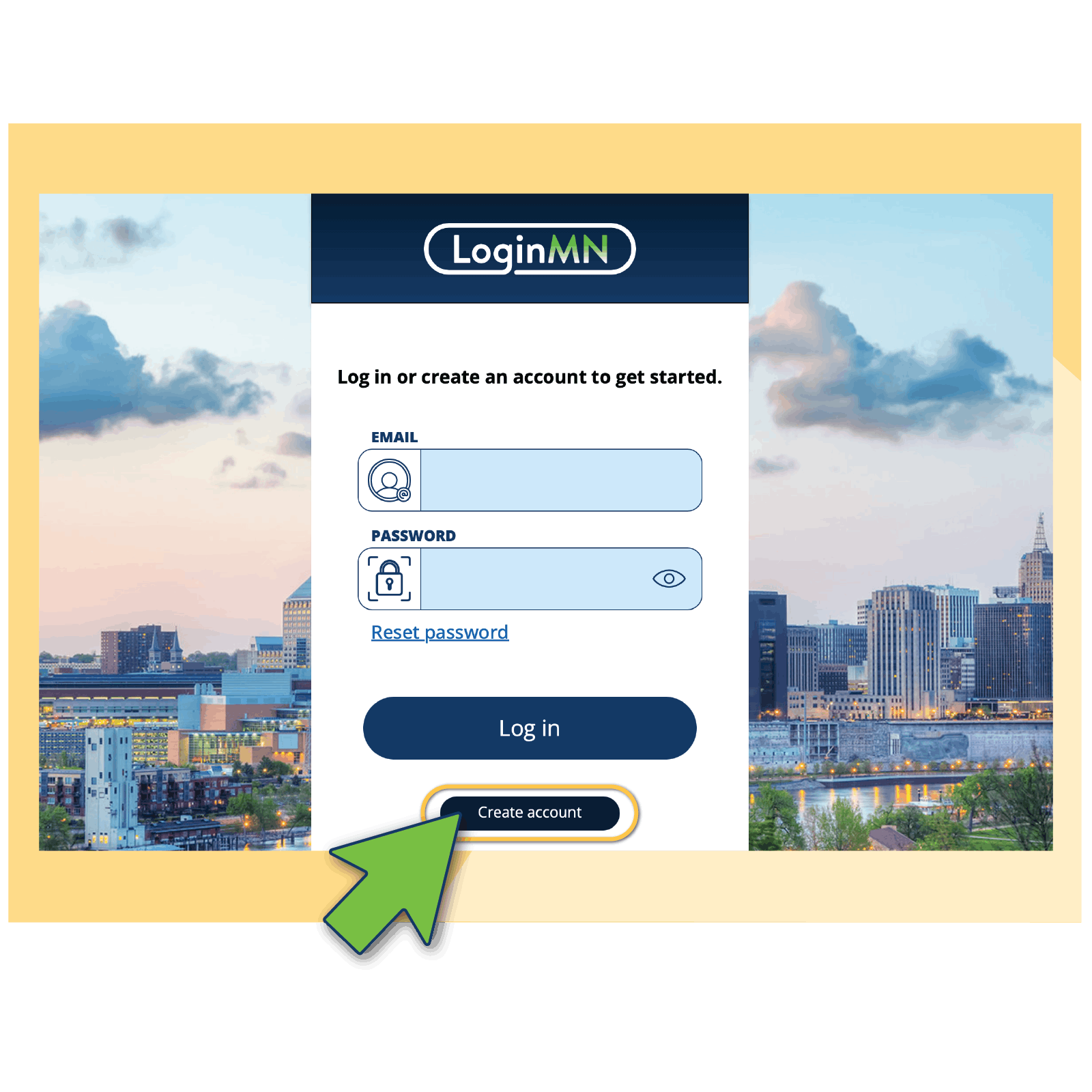
Create your LoginMN Account

Login page for LoginMN that shows a circled button indicating if clicked you can "Create Account".

Step 3: Create your company account in MyCert or link to an existing company


It's now time to login to MyCert after creating your username and password in LoginMN.

The first time a CEO or Equal Employment Opportunity (EEO) Official logs in, they will be asked to create their company's account or request to link to an existing company. All other users should request to link to an existing company.


Login to MyCert

We’re here to help! Please contact us if you have any questions MyCert.mdhr@state.mn.us or 651-539-1095.

  • About Us
  • Accessibility

MyCert is developed on behalf of the people of Minnesota in partnership between the Minnesota Department of Human Rights and Minnesota IT Services.

MDHR Logo